
An organised workspace can improve productivity, increase focus, and put you in a better creative mindset. Think about decluttering, taking care of all the electronic bits and bobs lying around, and taking those empty mugs to kitchen before they start piling up – again.
Apart from cleaning and organising your desk – which you should probably be doing regularly – here are a few tips to help you bring order and structure to your workspace, so you can keep grinding throughout the day.
Control the cables
Cables have an annoying habit of making a workspace appear less organised than it really is. And, let’s face it, hiding them is never easy. Adapters and chargers poke out from under the table, curl up against the wall, and can even get tangled in your office chair’s wheels. Frankly, frustrating.
But, fear not. There are few cord and charger disasters that cable-ties can’t fix. Secure the haphazard cables together under your desk, add some double-sided tape to the multi-plug, and tuck everything away beneath your table. The look you want to go for is clean, minimal, and tidy, which this little life hack will help you deliver on.
Modernise hardware
With so many high-performing, great-looking options on the market, picking the best hardware for your space and requirements can be overwhelming. If you’re after a modern feel, opt for a streamlined PC that’s built to last. The same goes for your peripherals and monitors. You don’t want to invest in machinery just to have it break after a few months.
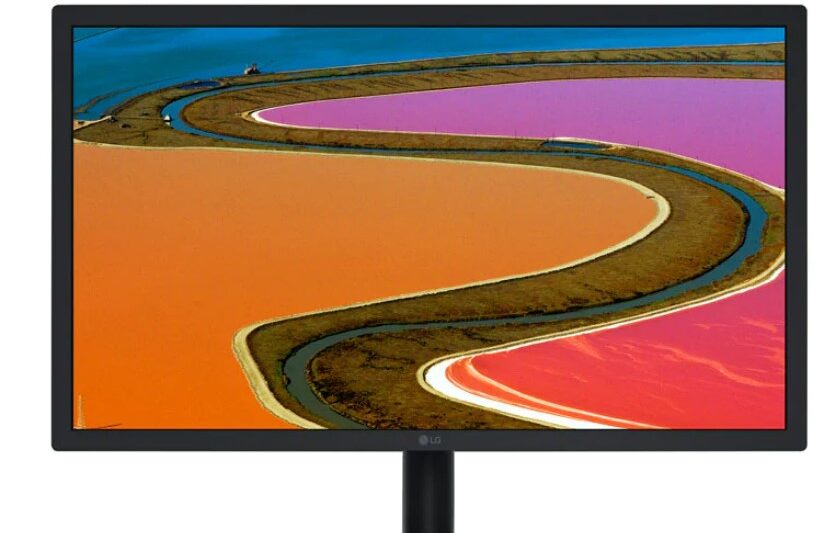
Monitors are a sleek and simple way to add a modern touch to your workspace. LG’s 22” UltraFine™ 4K IPS LED Monitor and 27” IPS LED UltraFine™ 5K Monitor are among the best on the market. They feature stunning 4K or 5K resolution, boasting crystal clear details and an immersive viewing experience that delivers richly coloured imaging. The monitors also include a Screen Manager functionality (that’s also optimised for macOS), allowing you to set up the screen the way you prefer. Want two frames? Four? No problem. The software easily divides screens to make viewing content more convenient, without cluttering your desk with multiple screens.
Need to communicate via video chat? The LG UltraFine™ 5K display is designed with an internal webcam and responsive microphone that seamlessly disappears into the design of this elegant monitor. Plus, speakers are perfectly suited for watching movies, playing games, or catching up on the news during work breaks, giving you top-quality sound and more room on your desk.
Set up a stationery gameplan
We know the drill: whenever you need a pen, there isn’t one to be seen for miles around. If you struggle to streamline your stationery, your first plan of action should be to invest in better storage solutions. Incorporate a modern pencil holder or simple stationery rack that slides in under the table to prevent pesky pens from going missing. Stationery racks are also great for storing notebooks, staplers, or even a snack or two.
The thing to remember is to keep your stationery to a minimum. Use what you need and avoid leaving things out after you’ve used them. You’ll find it makes clock-off clean-up so much easier.
Ultimately, you want to create a space you’re proud of. One that motivates you to work towards your goals. If this means putting up floating shelves, installing LED lights, rigging your setup with the latest components, or simply cleaning up as you go, do it! A happy, productive space starts with you.
CLICK HERE to submit your press release to MyPR.co.za.
Track Your Press Release HERE:
Check Online Visibility
Verify where this release is currently indexed:
 Plastics Industry Distances Itself From Defrauding Bag Manufacturers